Authentication
Authenticate each call with the API key of your team.
The API authenticates each call with an API key. Send it as a bearer token in the Authorization header:
curl https://api.redokun.com/v1/me \
  -H "Authorization: Bearer rdk_..."
A call with no key, or with a key that is malformed, unknown or revoked, gets 401 with the code UNAUTHENTICATED.
Get an API key
Only the team leader can create the API key. The other members of the team cannot manage it.
-
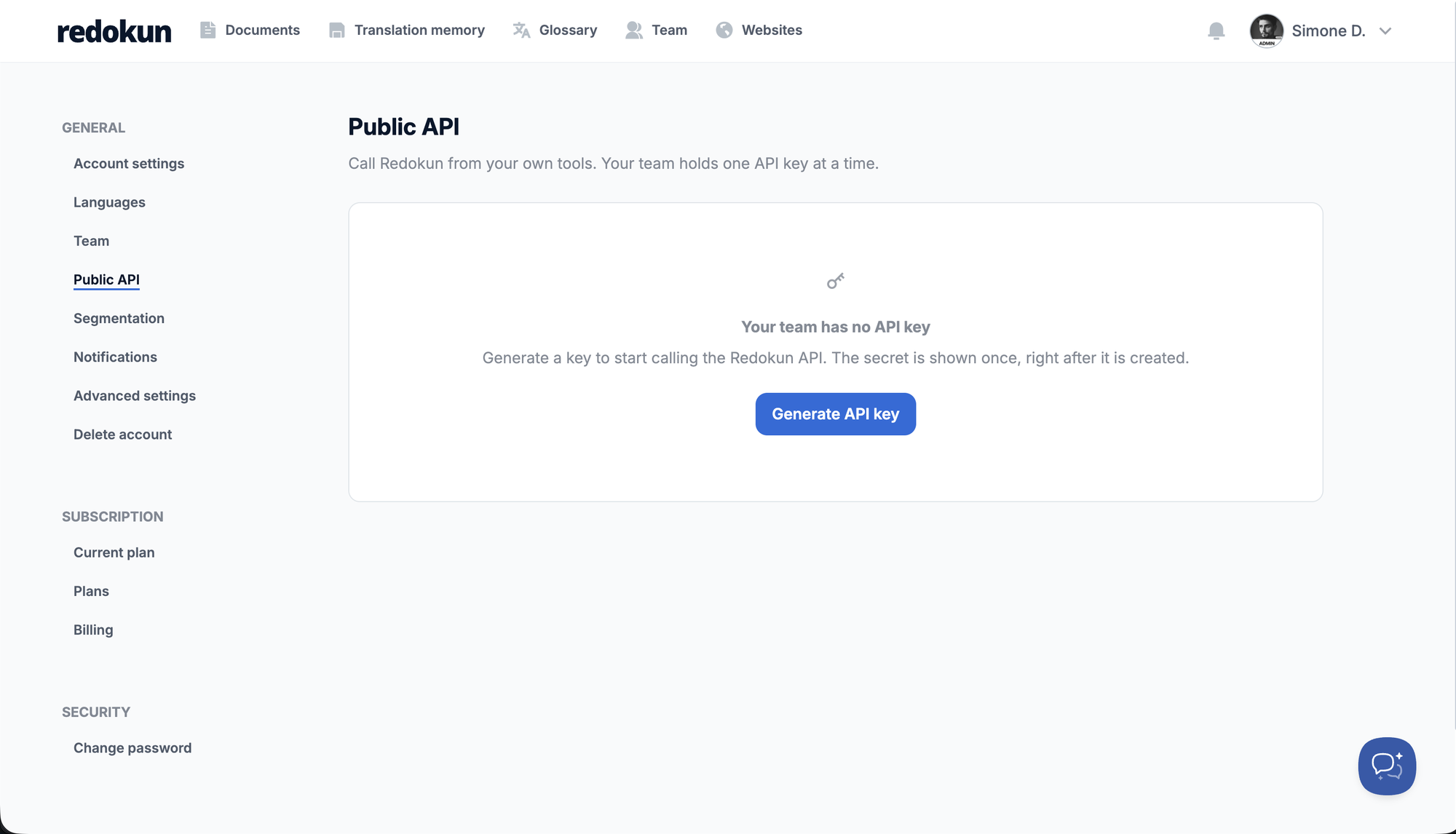
In Redokun, open Settings > Public API.
-
Click Generate API key.
-
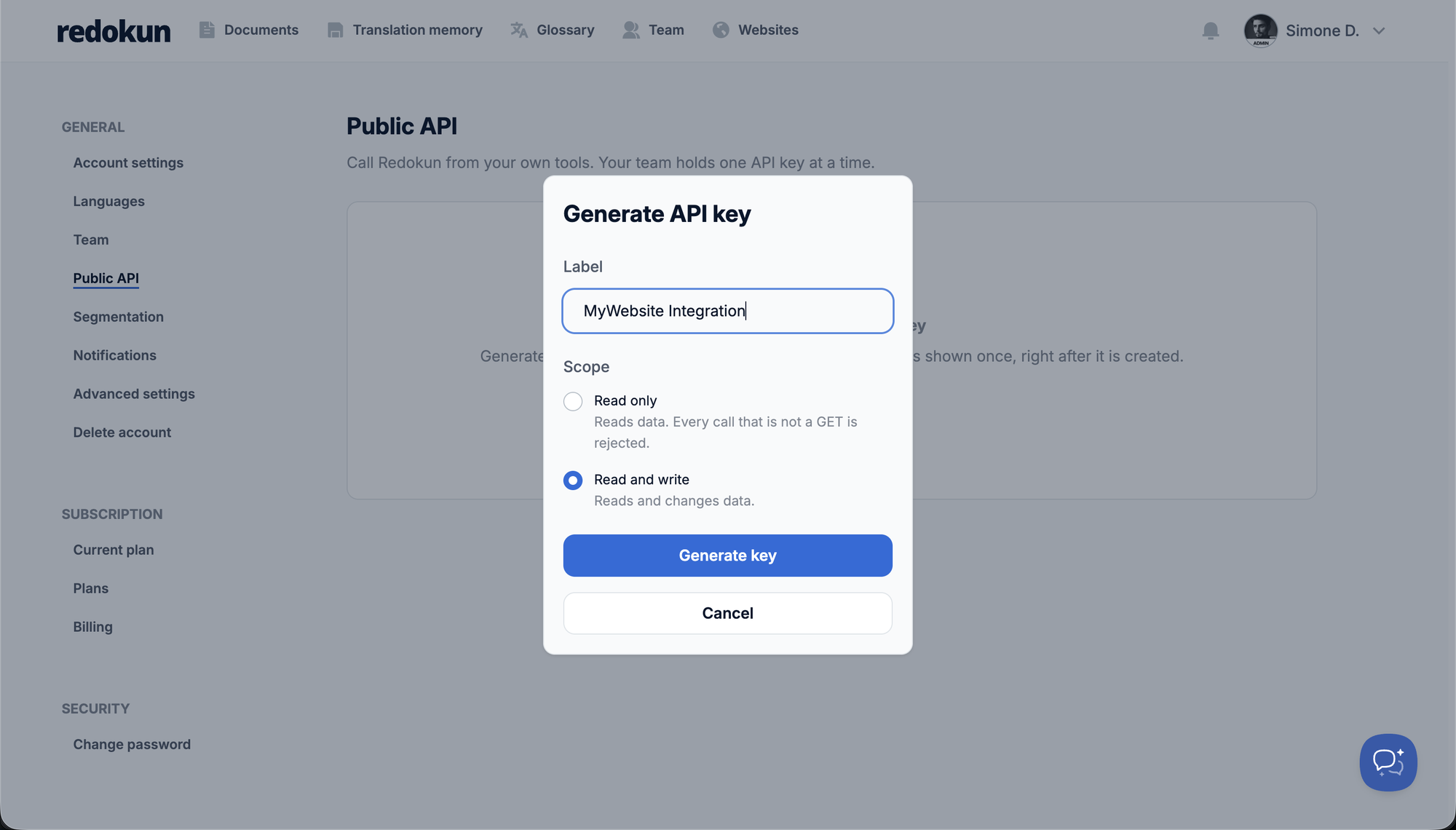
Enter a Label, up to 100 characters, so you can recognize the key later.
-
Choose a Scope: Read only or Read and write. See Scopes.
-
Click Generate key, then copy the key.
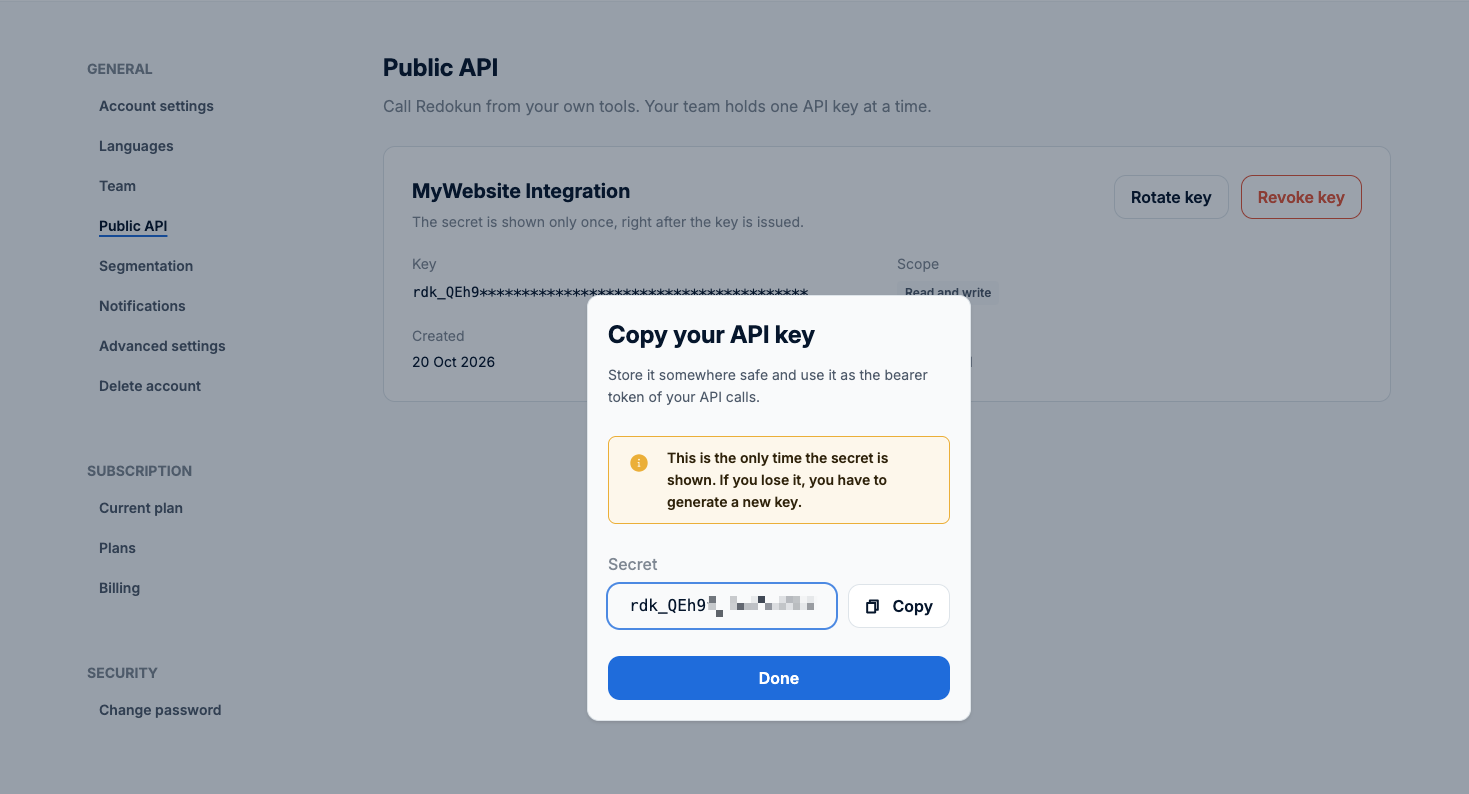
Redokun shows the key only once
Copy it before you close the dialog, and store it where your integration reads its secrets. If you lose it, rotate the key to get a new one.
A key is rdk_ followed by 43 letters and digits, 47 characters in all. The settings page shows its first 8 characters followed by asterisks, so you can tell which key is in use.
Scopes
You choose the scope when you generate the key, and you cannot change it later. To change it, rotate the key.
| Scope | Allows |
|---|---|
| Read only | Calls that read (GET). Any other call gets 403 with the code INSUFFICIENT_SCOPE |
| Read and write | Every call |
One key per team
A team has one active key at a time. The key acts as the account of the team leader: GET /v1/me returns that account.
Rotate a key
In Settings > Public API, click Rotate key and choose the label and the scope of the new key. The old key stops working at once, with no grace period, so update your integration right after you rotate.
Revoke a key
In Settings > Public API, click Revoke key. The key stops working at once and cannot be restored.
When a valid key is refused
A valid key can still get 403:
| Code | Why |
|---|---|
FEATURE_NOT_ENABLED | The plan of the team does not include the API |
ACCOUNT_NOT_ACTIVE | The account cannot call right now: for example, it is disabled, or the subscription of the team is suspended or expired |
INSUFFICIENT_SCOPE | The key is Read only and the call writes |
Keep the key safe
- Call the API from your server only. Never put the key in a browser, a mobile app or a code repository.
- Settings > Public API shows when the key was last used, to the minute. A use you do not expect means the key may have leaked.
- If the key leaks, revoke it or rotate it at once.